'%3e%3ccircle%20cx='43.0'%20cy='40'%20r='21.0'%20fill='none'%20stroke='%23FFFFFF'%20stroke-width='12'/%3e%3cpath%20d='M59.00%2040%20L69.00%2040%20L69.00%2077.92%20A9.5%209.5%200%200%200%2059.00%2077.92%20Z'%20fill='%23FFFFFF'%20stroke='%23FFFFFF'%20stroke-width='2'%20stroke-linejoin='round'/%3e%3ccircle%20cx='64.00'%20cy='86'%20r='6.0'%20fill='%232BE0A0'/%3e%3c/g%3e%3cg%20transform='translate(415.9%200)'%3e%3cg%20fill='none'%20stroke='%23FFFFFF'%20stroke-width='7'%20stroke-linecap='round'%20stroke-linejoin='round'%3e%3cpath%20d='M48.00%2040%20A21.0%2021.0%200%201%200%2048.00%2040.01%20M48.00%20-3.0%20L48.00%2061.0'/%3e%3cpath%20d='M70.50%2040%20L112.50%2040%20A21.0%2021.0%200%201%200%20106.35%2054.85'/%3e%3cpath%20d='M135.00%2061.0%20L135.00%2040%20A21.0%2021.0%200%200%201%20177.00%2040%20L177.00%2061.0'/%3e%3cpath%20d='M209.93%207.0%20L209.93%2061.0%20M196.93%2019.0%20L222.93%2019.0'/%3e%3cpath%20d='M282.01%2040%20A21.0%2021.0%200%201%200%20282.01%2040.01%20M282.01%2019.0%20L282.01%2061.0'/%3e%3cpath%20d='M307.01%20-3.0%20L307.01%2061.0'/%3e%3c/g%3e%3c/g%3e%3c/svg%3e)
Your whole practice on one connected line.
Carelinq Dental puts scheduling, charting, billing, imaging and an AI assistant in one hand-crafted app, on Windows, Mac, iPad and Android tablets.
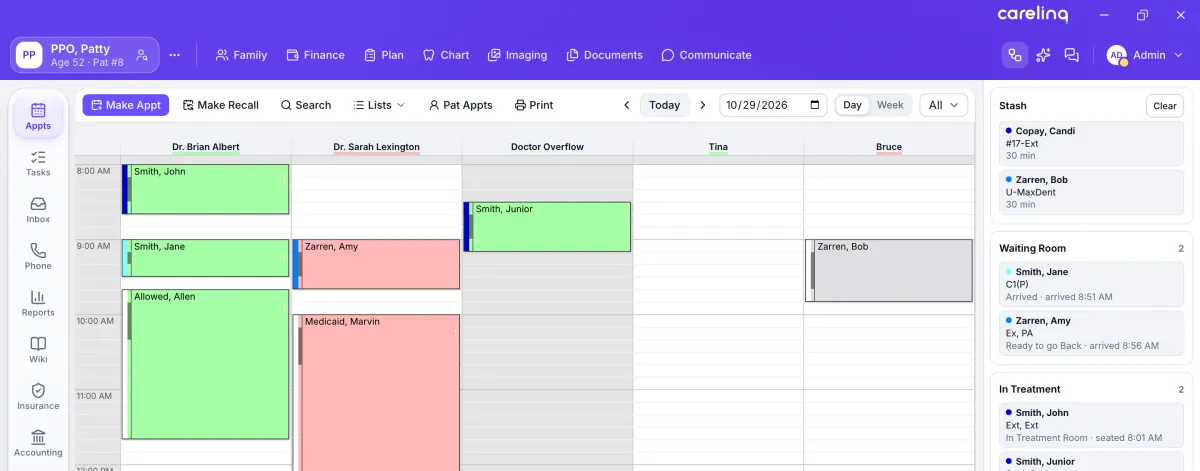
Every patient, from any screen.
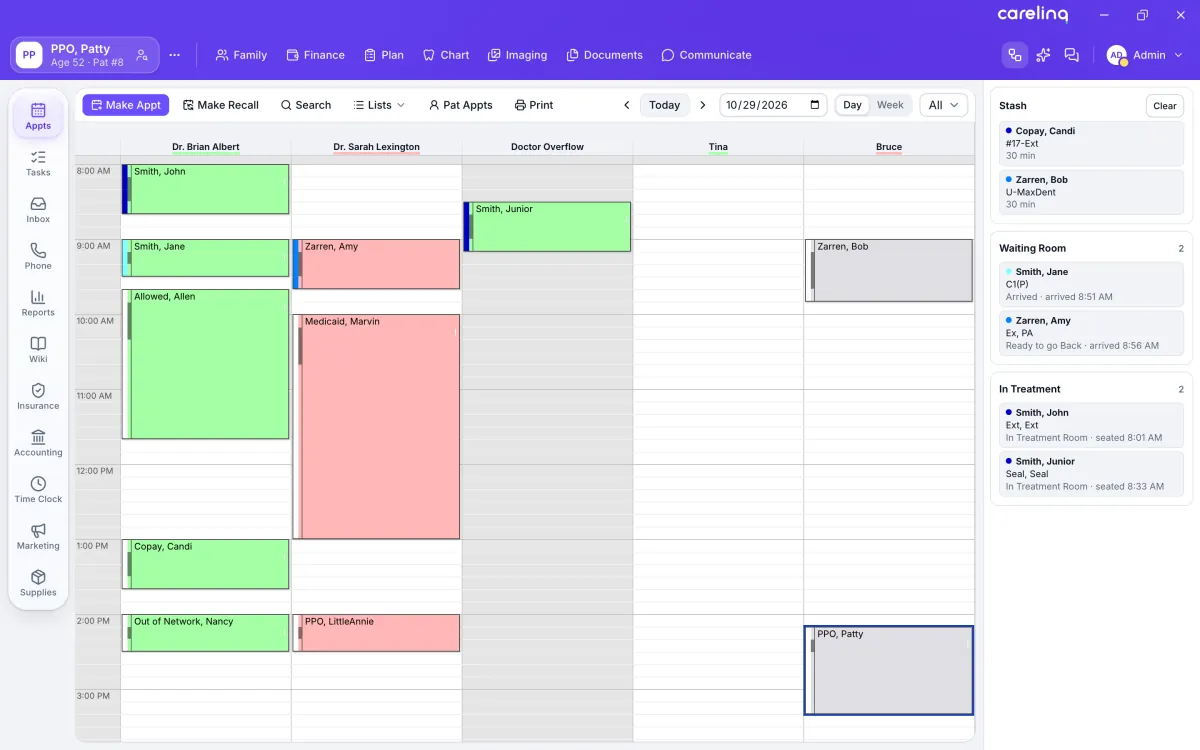
The patient flow pane opens from the top bar wherever you are in the app. Drag a patient from the waiting room into an operatory and the seated time stamps itself. The count on the button shows who’s here without opening it.
Hand-crafted, one screen at a time.
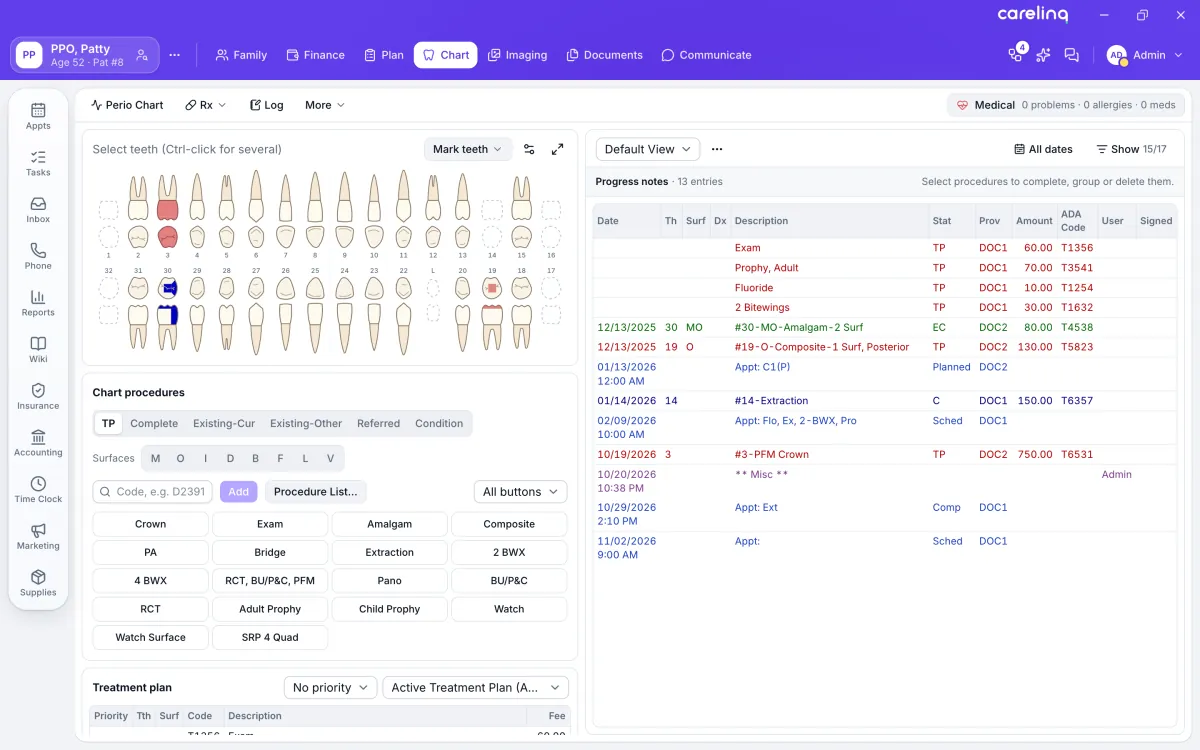
Carelinq Dental was redrawn window by window, nearly 500 of them. Grids and ledgers stay dense where billing needs density. Everything else is calm, with plain labels and clear states.
Staff coming from older systems still find everything where they expect it: the patient card up top, the schedule a click away, the chart, plan and ledger in their usual places.
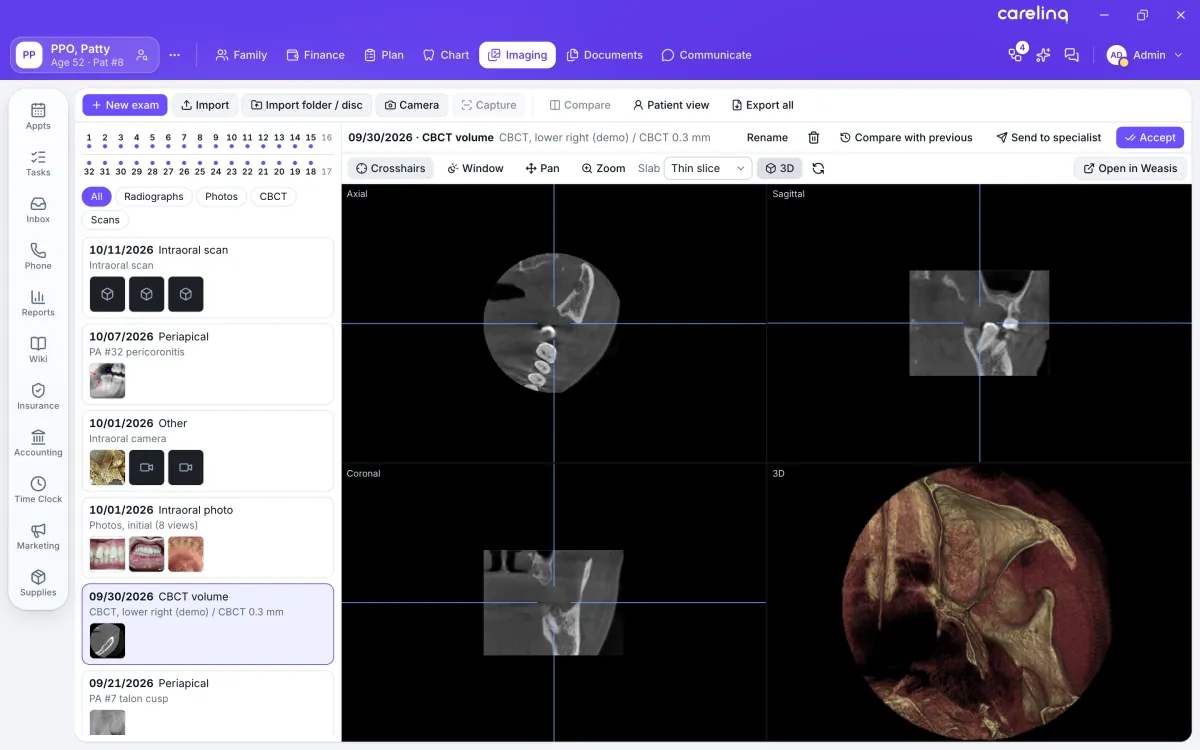
Imaging is built in. Stop paying for a second system.
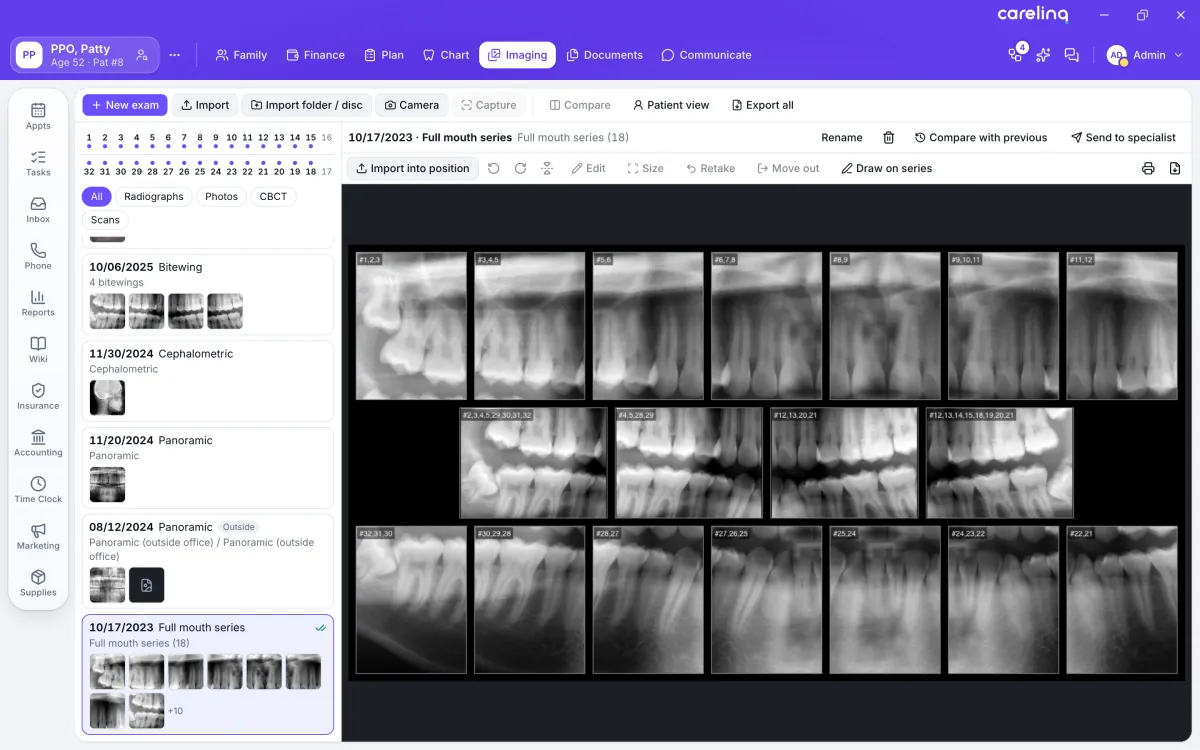
X-rays, CBCT volumes, intraoral scans and photos open in the patient’s chart, filed by exam, tooth and modality. There’s no imaging software to license, no bridge to maintain and no separate image server to run.
- DICOM
- Import and export single files, multi-frame series and DICOMDIR discs from other offices.
- CBCT
- Axial, sagittal, coronal and 3D views, with measurements calibrated from the scan.
- X-ray
- Sensors and panos through TWAIN capture, full-mouth series in their mounts, and 16-bit TIFF.
- 3D
- Volume renders, and intraoral scans in STL, PLY and OBJ to orbit, zoom and measure.
Every image exports as DICOM or its original file. Your images stay yours.
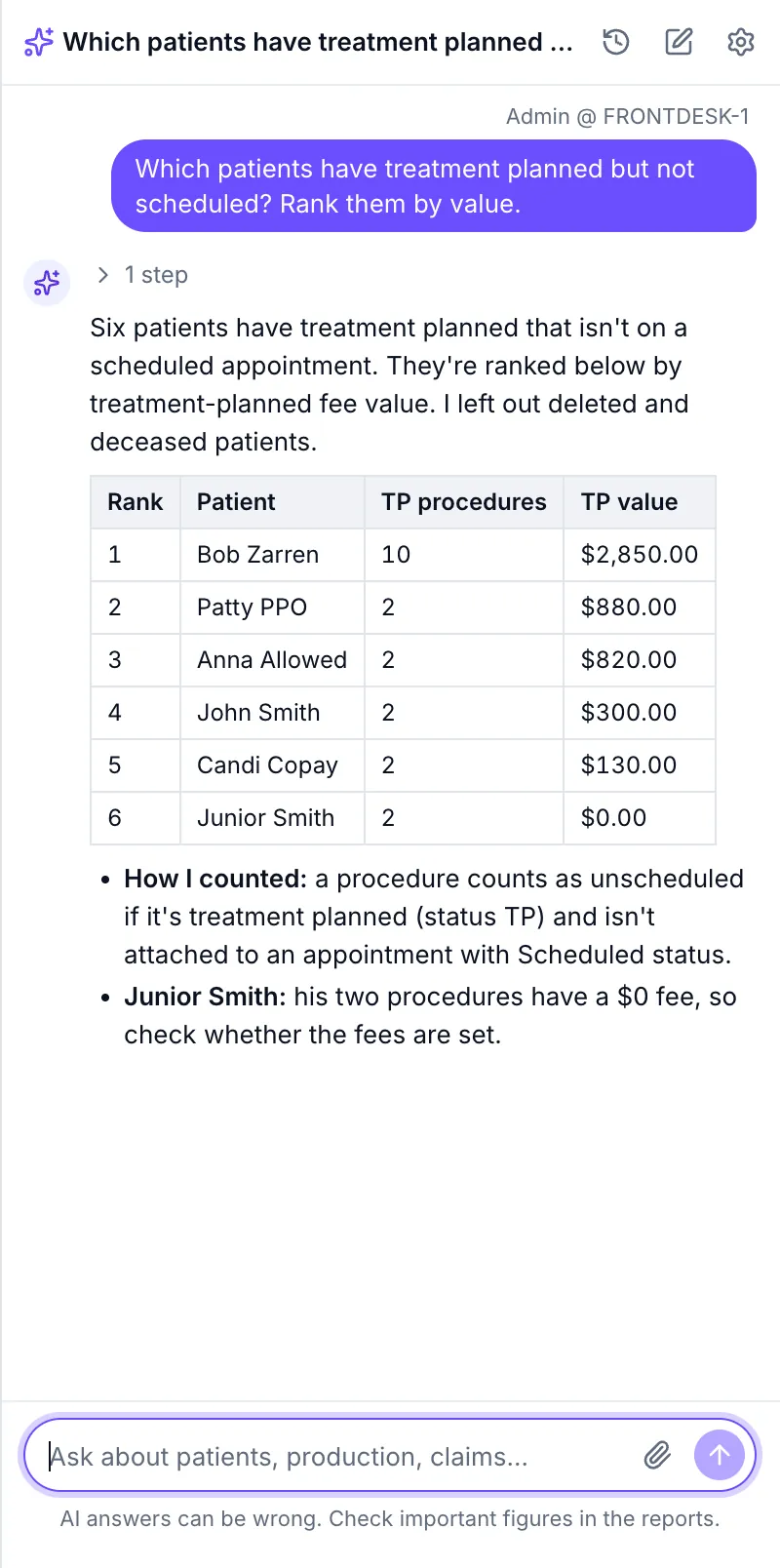
Ask your practice anything.
The Carelinq Assistant answers questions from your own database in plain language: production by provider, collections, recall, unscheduled treatment. It draws the chart, writes the PDF or exports the list.
HIPAA compliant, by design
- Encrypted. Conversations are encrypted at rest and deleted after your retention period.
- Never used for training. Your questions and your data don’t train any AI model.
- Kept close. The assistant runs on hardware you control or on Carelinq-hosted models. No third-party AI provider sees your questions.
- Read-only. It can’t see passwords, keys or Social Security numbers, and every query it runs is logged.

Hand off a patient, not a chart number.
Office chat sits beside every screen. Attach a patient card to a message, and whoever reads it opens the right record in one click.
Work on the device you prefer.
Carelinq Dental is the full workstation on Windows, Mac, iPad and Android tablets. Put the front desk on a PC, the doctor on a Mac and the hygienist on an iPad chairside. Every device runs the same interface against the same server, so nobody learns it twice.
Purpose-built iPhone and Android phone apps are coming soon.
Switch without starting over.
The conversion tools built into Carelinq Dental bring over your patients, history and images. They’re free. If you’d rather we did it, managed conversions are available for a service fee.
Compare Carelinq DentalBring your practice from
Bring the whole practice onto one line.
Carelinq Dental is coming to Windows, Mac, iPad and Android tablets. Leave your email and we’ll tell you the day you can download it.
Questions first? Talk to us by email, text or chat.